Handwritten Notes for Friends and Machines
September 26, 2026
tl;dr I built an open source Supernote plugin to send and receive handwritten notes on the device: https://olaink.com
Setting out a fresh piece of graph paper and drawing out a design with diagrams and psuedo code before starting to code was a habit I was taught by an early engineering mentor of mine (thanks Ron!). Over the decades I had lost that habit as my confidence in my own tools and skills got me writing a README and then code from the start.
However, I have been experimenting with handwritten work once again with a digital twist.
I have a Supernote Manta, an eink tablet, which I had primarliy used for reading larger PDF documents and as scratch paper for meetings or study. It serve’s these purposes well but I never felt compelled to use it for design documents- my Supernote documents always felt sort of trapped on the device and didn’t fit my workflow for coding.
Until, my friend Alex took interest in the Manta and wanted to exchange drawings and ideas easily and securely. This sounded fun but I didn’t want to clunk around with email attachments and moving files around. Luckily, a few months ago, the Supernote team launched a beta plugin system enabling extensions to their note system.
So, I built a new open source project called Ola Ink. A Suprenote plugin to quickly send your current note to another person or agent.
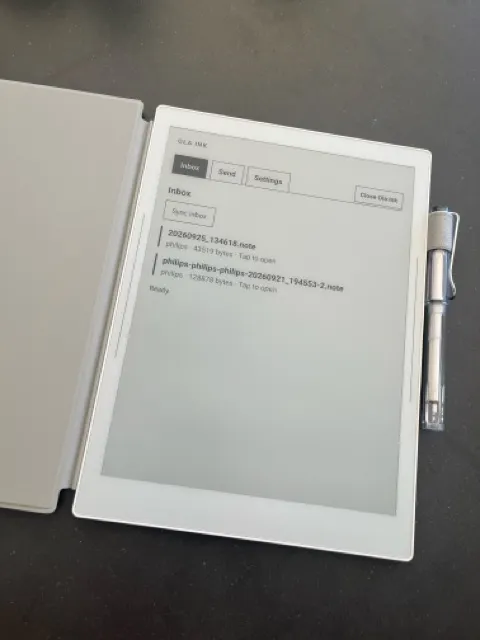
The note sharing workflow with Alex is nice and works as expected. You draw or write inside the native note taking application. Click the Ola Ink plugin which will be ready to send the currently open note without futzing around in a file browser. And select the user to send to. At this point it is encrypted to the receiving user’s public keys and hosted on the Ola Ink server for the next 14 days. (There is also a web app that renders the note if you want to share with a friend without a Supernote.)
But, I have also been playing with Pi agents for software projects. And, having this system for sending handwritten messages around from my Supernote led me to design and develop (well my agent to develop) a Pi plugin.
I can now write/draw a few pages of design docs for a project. And then when I feel it is in good shape I can run /olaink poll to have the agent ingest it into its context to create markdown docs and/or start coding. It is a really nice workflow that feels like relearning my old habits and also implementing Calm Tech in the agentic coding era. My very first silly test project was a tooth brush timer for my kids.
If you have a Supernote note please checkout the plugin (if you are running the Beta firmware). Everything is open source and available at github.com/philips/olaink
(I also developed an Obsidian Supernote (Unofficial) plugin if you are interested in that)