Cluster-Level Container Deployment with fleet
By Brian Waldon, February 18, 2014
Originally published on the CoreOS blog (archived copy) . Re-published with the authors' permission.
Today I’d like to introduce our latest project, fleet. fleet builds on etcd and systemd to provide a distributed, fault-tolerant platform for deploying applications on CoreOS clusters.
The Basics
With fleet, you can treat your CoreOS cluster as if it shared a single init system. It encourages users to write applications as small, ephemeral units that can easily migrate around a cluster of self-updating CoreOS machines.
Architecture
User job requests kick off a bidding process by the machines in the cluster. Based on the received bids the engine assigns the job to a machine. This process relies on two of etcd’s key features: directory watch events and cluster-level locks. During the life of a job an event-driven architecture allows the cluster to react to membership changes and service state changes in real-time.
Read more about the architecture on GitHub.
So… what can it actually do?
- Deploy docker containers on arbitrary hosts in a cluster
- Distribute services across a cluster using machine-level anti-affinity
- Maintain N instances of a service, re-scheduling on failure
- Discover machines running in the cluster
- Automatically SSH into the machine running a job
Demo
The API keys used in this video were revoked before it was posted — free AWS isn’t a feature of CoreOS. Below are the systemd units used in the demo:
subgun-http.1.service
[Unit]
Description=subgun
[Service]
ExecStartPre=-/usr/bin/docker kill subgun-1
ExecStartPre=-/usr/bin/docker rm subgun-1
ExecStart=/usr/bin/docker run -rm -name subgun-1 -e SUBGUN_LISTEN=127.0.0.1:8080 -e SUBGUN_LISTS=recv@sandbox2398.mailgun.org -e SUBGUN_API_KEY=key-779ru4cibbnhfa1qp7a3apyvwkls7ny7 -p 8080:8080 coreos/subgun
ExecStop=/usr/bin/docker kill subgun-1
[X-Fleet]
Conflicts=subgun-http.*.service
subgun-presence.1.service
[Unit]
Description=subgun presence service
BindsTo=subgun-http.1.service
[Service]
ExecStartPre=-/usr/bin/docker kill subgun-presence-1
ExecStartPre=-/usr/bin/docker rm subgun-presence-1
ExecStart=/usr/bin/docker run -rm -name subgun-presence-1 -e AWS_ACCESS_KEY=AKIAIBC5MW3ONCW6J2XQ -e AWS_SECRET_KEY=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 -e AWS_REGION=us-east-1 -e ELB_NAME=bcwaldon-fleet-lb quay.io/coreos/elb-presence
ExecStop=/usr/bin/docker kill subgun-presence-1
[X-Fleet]
MachineOf=subgun-http.1.service
GitHub Repo • Docker Image on Quay.io
Get up and running
fleet is available in CoreOS version 231.0.0 and newer. Get an etcd cluster up and running and simply call systemctl start fleet. You can then interact with your fleet cluster using the fleetctl command line tool available from GitHub. Binaries are available for both Linux and OS X.
Amazon
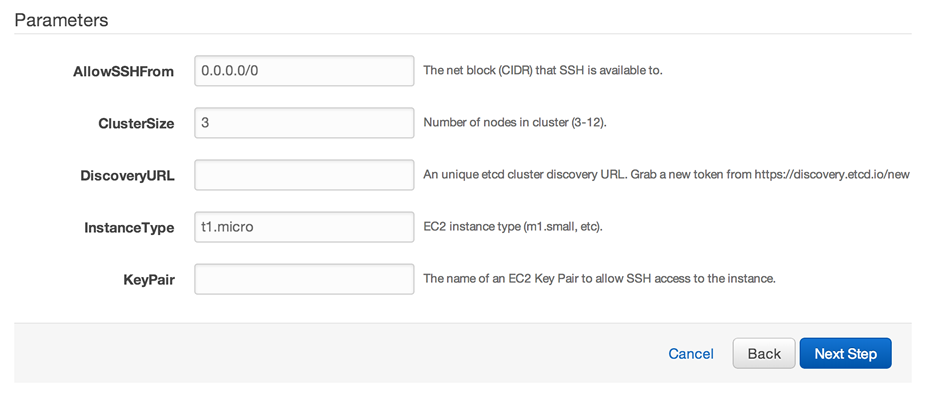
We have an AWS CloudFormation template that uses the new etcd cluster discovery protocol to provide autoscaled CoreOS clusters. Check it out on our EC2 docs.
Learn More
All documentation is located within the GitHub repo. Learn more about using the fleetctl client, deployment and configuration, system architecture and more.