Quay.io New Features
By Jacob Moshenko, January 7, 2015
Originally published on the CoreOS blog (archived copy) . Re-published with the authors' permission.
Today we round up our newest features and shine a spotlight on them. Since joining the CoreOS team, we have been working hard on features to improve the Quay.io experience. Highlights include squashed images (an experimental feature) for faster downloading, added build features for more control with build automation tools, and improved notification features for better communications within teams.
Squashed Images
Have you ever had to deploy a repository to a large number of machines, and wished for a faster way to do so?
We’re happy to announce a new experimental feature which allows you to download a flattened version of a tag in your repository as a single layer. Instead of downloading each layer of a repository, one by one, you can download and load a single image of your repository. This cuts down on the network roundtrips associated with a pull, and even better, allows you to download your repository without using any bandwidth for deleted files. For example, if you have an image with a go binary, you can rm the go compiler after the build, and we’ll only serve the remaining files. Additionally, after you pull this image once, we will cache it so that subsequent pulls of the same image are even faster!
Using the squashed image is super simple: If you ask for tag foobar, then executing the download command will result in a new image named foobar.squash, which can be run the exact same way as its base tag:
> curl -L -f https://quay.io/c1/squash/username/reponame/foobar | docker load
> docker images
REPOSITORY                             TAG                 IMAGE ID            CREATED             VIRTUAL SIZE
quay.io/username/reponame              latest.squash       04acaed21a16        6 days ago          17.28 MB
There are some best practices for using this feature optimally. First, since you will not benefit from layering any more, you should only use this to pull to machines which will only pull the image once, and will not perform upgrades. Ephemeral or auto-scaling machines are prime candidates. Second, to take advantage of the caching, you should let the first pull of the squashed image complete before pulling it on subsequent nodes. If you plan to pull to tens, hundreds, or thousands of machines, it is best to prime the cache before doing so.
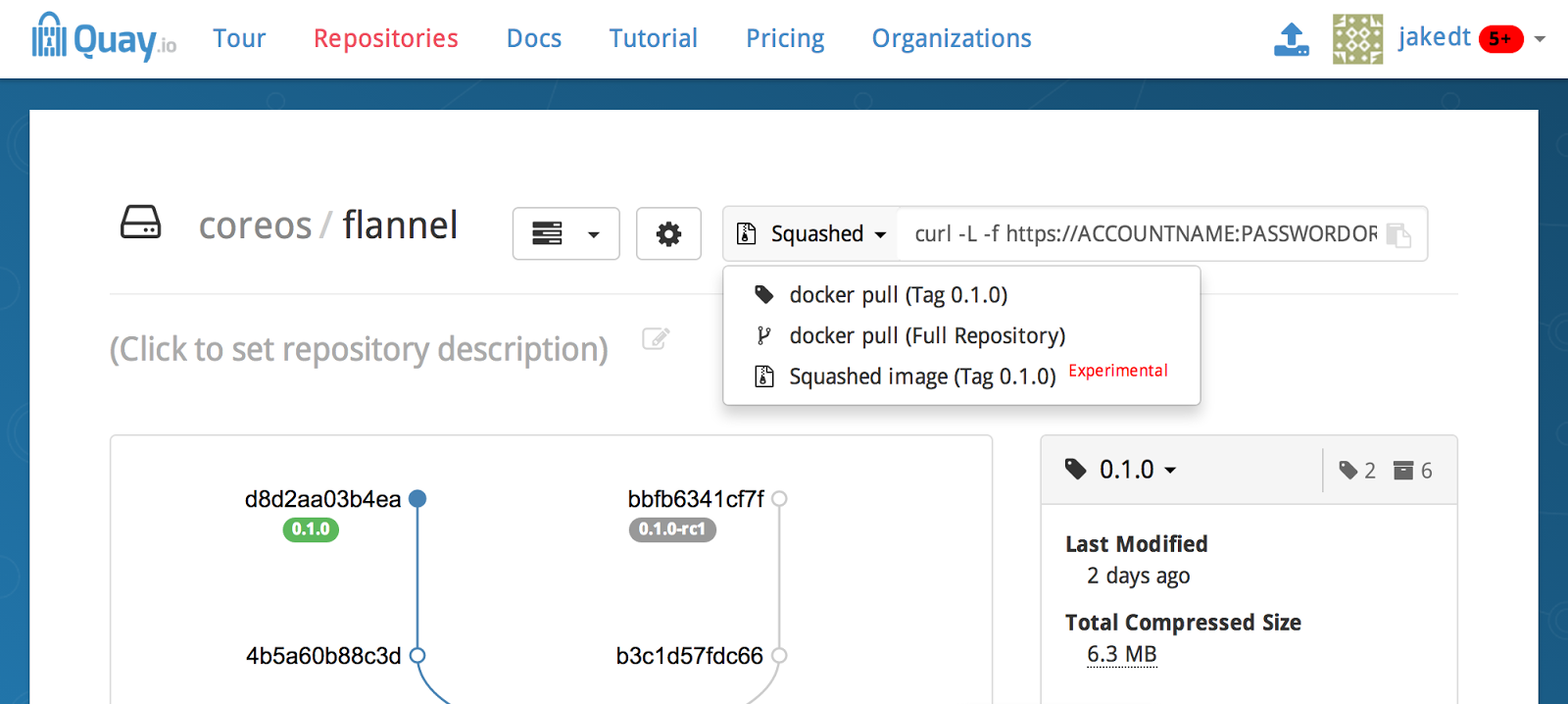
You can find the command to pull and load a squashed image in the main tree view for your repository. Please replace the placeholder credentials with the credentials of one of your own robots in order to run it. We have tons of tests which verify that these images are correct, but please test and verify that this feature works for you before adopting it in production.
##Builds
The ability to build your repositories automatically from GitHub has been wildly popular. With great popularity comes great feature requests, such as: to only build the branches you specify, to test builds in different branches, and to have access to the .git directory that would be present in a clone. We’ve got two and a half of those features ready!
Building select branches
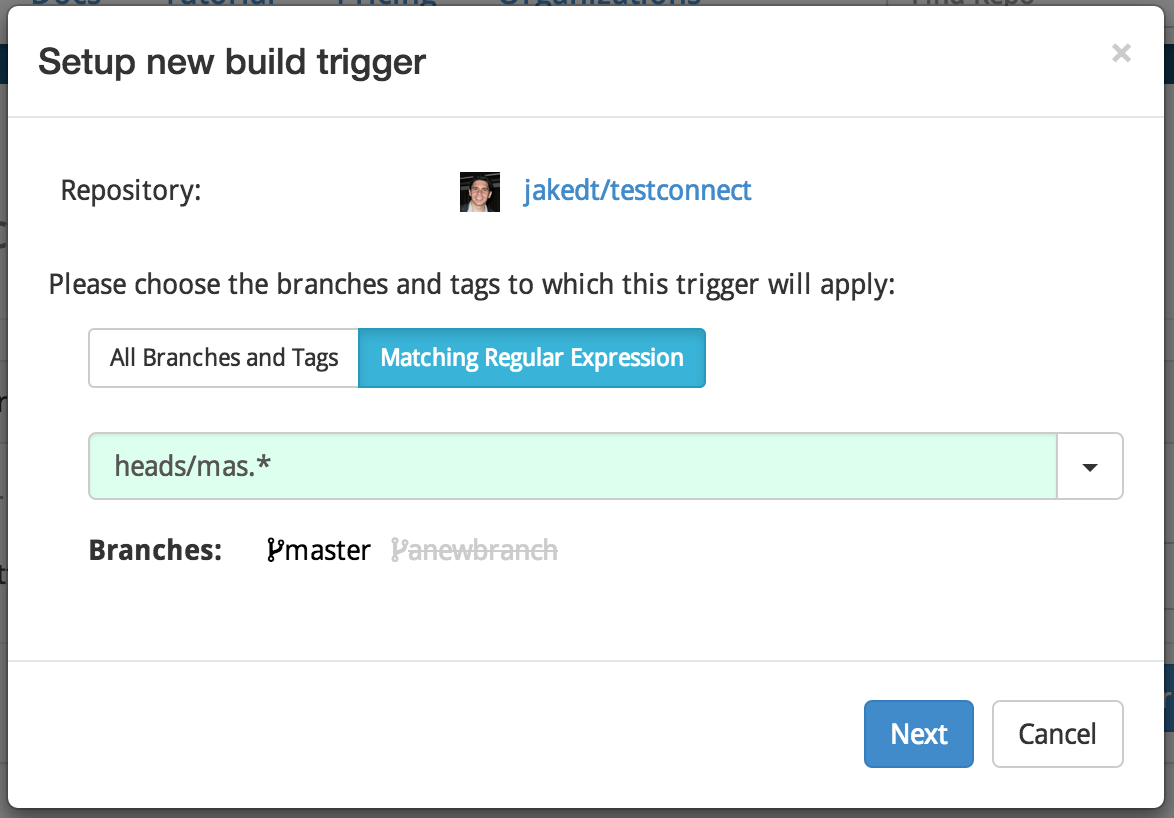
As of now, you can filter the branches which you want to build from GitHub. We allow you to specify any regular expression, which if it matches the branch name, will allow the build to proceed.
Manually triggering a branch
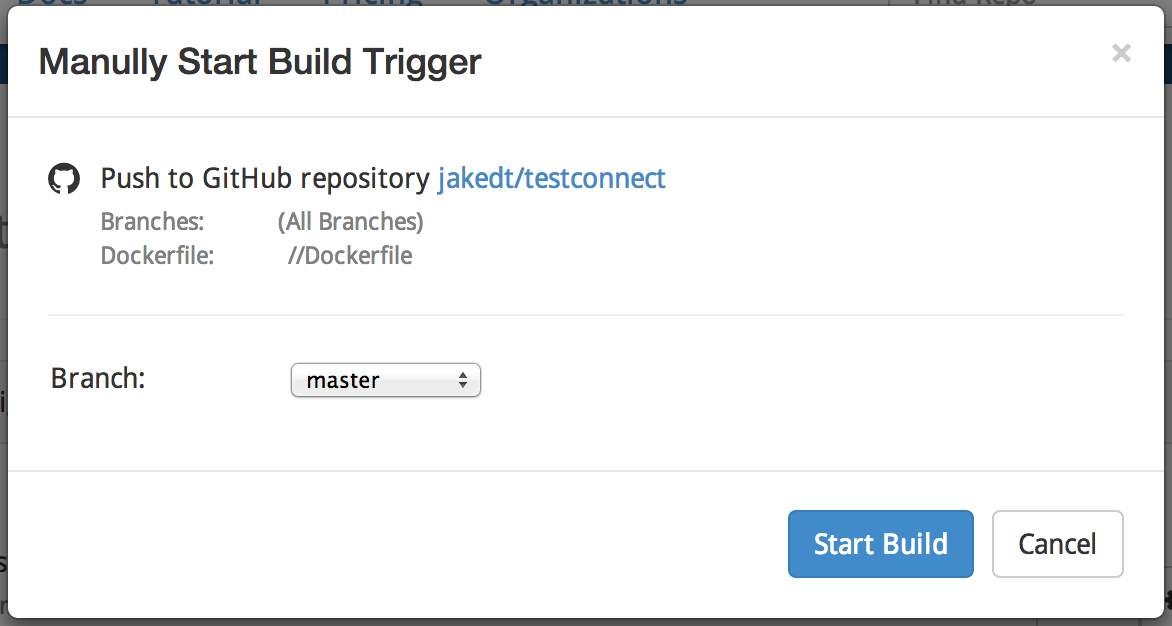
We also allow you to manually trigger a build from any of the branches in your repository.
Finding the revision
As for the .git directory, we were originally unable to provide it because we are not building clones; we’re building archives. After digging into your requests a bit more, it seems that the feature that you really need is to be able to tell which sha you’re actually building, at build time. So, in the interim, we’ve created a synthetic .git directory which will allow you to run the commands git rev-parse --short HEAD and git rev-parse HEAD. We hope this will allow you to continue forward with your build automation tools.
Communication and Notification Improvements
In order to best facilitate communication with and between your teams, we’ve also added notification types for Slack, Flowdock, and Hipchat. Using the API token style integrations provided by these various tools, you can now receive your repository notifications, such as build status and pushes, directly in your team chat provider.
Additional Updates
Lastly, we’ve made some ease-of-use updates to other parts of Quay.io, such as:
- Inviting users to join teams can now be done by email address, and users must confirm that they would like to join
- Ability to regenerate a robot’s credentials, in case you accidentally leak them (e.g. by running docker login without specifying quay.io)
- Added support for the
docker searchcommand. Queries can be issued like so:docker search quay.io/somesearchterm
We look forward to hearing your feedback on the newest updates. Sign up for a free trial of Quay.io here. Or if you are interested in storing your docker containers behind the firewall, try CoreOS Enterprise Registry.